Blog
CRM and marketing automation: what to fix before you automate.
Assess marketing automation and CRM readiness across data, consent, lifecycle, ownership, content, handover, integration and testing before you automate.
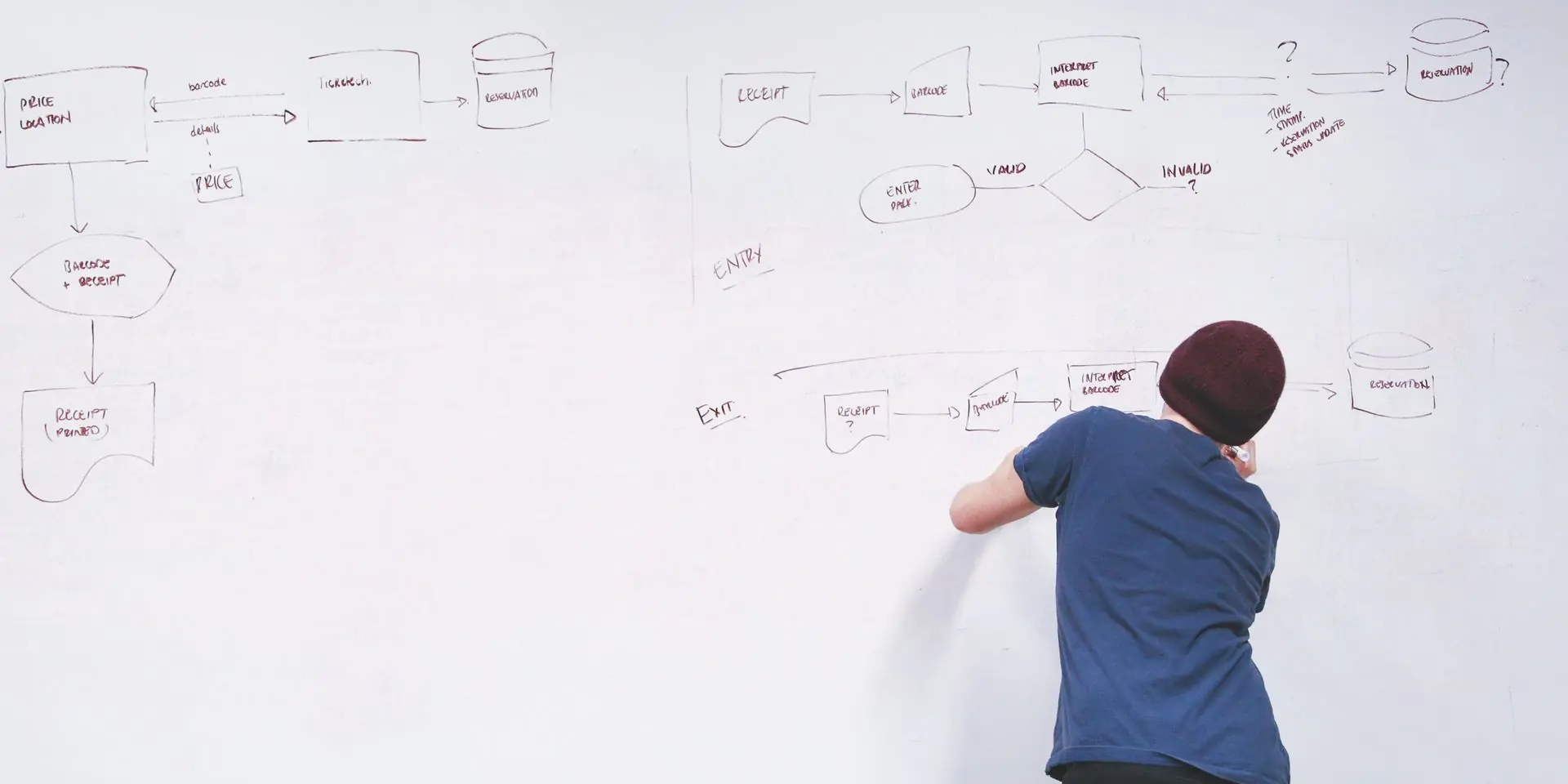
Marketing automation is often bought as a cure for inconsistency. The database is untidy, sales follow-up varies, leads disappear between teams and customer communication depends on manual effort. A new platform or workflow appears to offer order.
Then the system goes live.
Duplicate contacts receive different messages. A customer is treated as a prospect. A sales-ready enquiry remains inside a generic nurture sequence. Nobody knows whether marketing or sales owns the record. An integration fails quietly. Unsubscribed contacts re-enter through another list.
The problem is not that automation failed to follow the process. It may have followed the process exactly.
Before selecting another platform or building another workflow, test whether the operating system around it is ready.
The short answer.
A credible CRM and marketing automation program needs eight foundations:
- A valuable, bounded use case
- Agreed lifecycle stages
- Reliable data and identity rules
- Valid consent and preference handling
- Clear ownership and governance
- Useful content for each moment
- Defined sales and service handovers
- Tested integrations, exceptions and monitoring
Not every project needs a large Discovery engagement. A simple, well-defined email sequence with clean data may be scoped directly. Paid Discovery becomes appropriate when consequential questions across teams, systems, data, consent, journeys or governance must be resolved before anyone can responsibly define the solution.
1. Begin with one business and customer outcome.
“Implement marketing automation” is a technology activity, not an outcome.
A useful first use case describes:
- The audience and their situation
- The customer need or friction
- The business outcome
- The entry event
- The valuable next action
- The point at which a person should intervene
- The measure of success
For example, a B2B organisation might want to help a genuine product enquiry reach the correct sales specialist with enough context for a useful response. That is clearer than “build a lead-nurture workflow”. It immediately raises the right questions: what makes an enquiry genuine, which data determines the specialist, what response is promised, and when does marketing communication stop?
Choose the smallest use case that is commercially useful and operationally testable. Starting with every possible customer journey creates a large diagram without proving that the organisation can operate one workflow well.
Also define what automation should not do. High-value, sensitive or ambiguous interactions may require human judgement. A responsible design automates predictable work and makes exceptions visible; it does not remove people from every decision.
2. Agree the lifecycle before configuring it.
CRM platforms offer stages, statuses, objects and pipelines, but the organisation must decide what each stage means.
Terms such as lead, marketing-qualified lead, sales-qualified lead, opportunity and customer are not self-executing. Define the evidence required to enter and leave each stage. Otherwise, teams apply labels according to personal judgement and reports compare unlike records.
For every stage, document:
- Entry criteria
- Required data
- Record owner
- Permitted communication
- Required action and service expectation
- Exit event
- Disqualification or suppression path
HubSpot’s current documentation confirms that its lifecycle stages can be customised and updated through settings, workflows or manual action. That flexibility is useful, but it also proves the design responsibility sits with the organisation. A default label is not a business definition.
Avoid using lifecycle stage to carry several meanings at once. Buying readiness, contact type, subscription status and record ownership may need separate fields. If “customer” is also being used to mean “safe to email”, consent logic will eventually fail.
3. Decide whether the data can be trusted.
Automation turns data quality into customer experience.
Before using a field as a trigger, branch or personalisation token, ask:
- Who creates it?
- Is the value required, optional or inferred?
- Which system owns it?
- What format is valid?
- How often is it missing or stale?
- Can more than one record represent the same person or company?
- What happens when two systems disagree?
Identity and duplicates.
A contact can enter through a form, event list, purchase, sales import or integration. Email address is often useful for matching, but it is not a universal identity strategy. People change employers, share addresses, use aliases or appear across company structures.
Define the matching and merge rules. Decide which record survives, how activity and consent history are preserved, and who reviews ambiguous cases. HubSpot provides duplicate-management capabilities, but tool availability does not decide the organisation’s merge policy. HubSpot’s record-merge documentation shows that a primary record remains after a merge; the business still needs to decide which record should be primary and what downstream effects are acceptable.
Data minimisation and retention.
Do not collect a field merely because the CRM provides it. Collect and retain information for a defined purpose, protect it appropriately and decide when it should be corrected or removed.
The OAIC’s current APP 11 guidance says APP entities must take active measures to protect personal information they hold and consider whether they are permitted to retain it. Obtain advice for the organisation’s circumstances rather than treating a platform configuration as compliance.
4. Make consent and preferences part of the data model.
Consent should not be managed only through a disconnected spreadsheet or an unqualified yes/no field with no history.
For each communication channel and purpose, the organisation may need to know:
- What the person agreed to
- How and when the preference was captured
- Which notice or wording applied
- The relevant brand, product or audience
- Whether consent was withdrawn
- Which systems must receive the update
- Whether a service message and a marketing message are treated differently
Australia’s ACMA states that commercial electronic messages generally require consent, accurate sender identification and a working unsubscribe facility. Its spam guidance also specifies operational unsubscribe requirements, including prompt processing. The OAIC’s APP 7 guidance governs certain uses and disclosures of personal information for direct marketing and includes opt-out obligations.
Those regimes interact with context, exemptions and other law. This article cannot determine whether a particular message is permitted. The operational lesson is simpler: legal review must be translated into fields, rules, suppression paths, evidence and tests before a workflow is activated.
An unsubscribe should propagate to every relevant sending system. A new import, form or CRM sync should not silently restore a withdrawn preference.
5. Assign ownership before the first task is created.
Automation frequently exposes a governance gap: the workflow can create an action, but nobody has agreed who must complete it.
Define accountable owners for:
- CRM data standards
- Lifecycle and pipeline definitions
- Consent and suppression rules
- Workflow logic
- Content approval
- Sales acceptance and follow-up
- Integration support
- Reporting and optimisation
- Change approval
Different teams can contribute, but one person or role should own each decision.
Service expectations also need boundaries. If a workflow promises that a specialist will contact someone within one business day, confirm capacity, working hours, leave coverage and escalation. Automation should not create a customer promise the organisation cannot operate.
Record ownership and process ownership are different. A sales representative may own a lead while marketing operations owns the rule that assigned it. Both need to be visible when something goes wrong.
6. Build content for the customer’s moment.
A technically correct workflow can still be poor marketing.
Automation needs content that answers the audience’s current question and creates a credible next step. A generic sequence that repeats product claims at fixed intervals does not become valuable because it is personalised with a first name.
Map content against the journey:
- What does the person already know?
- What decision are they making?
- What evidence would reduce uncertainty?
- What objection is reasonable at this stage?
- What action is proportionate?
- When should the organisation stop sending?
Content should also account for difference. A new subscriber, existing customer, dormant account and active sales opportunity should not automatically receive the same message.
Plan fallbacks for missing data. “Hello valued customer” may be safer than exposing a broken personalisation token, but the better solution is often to avoid personalising a field that cannot be trusted.
The public Actuaries Institute case study illustrates several sound production principles: reusable email components, cross-client testing and selected automation within Campaign Monitor. It should be used as evidence of that defined email work, not as proof of a complete CRM operating model.
7. Design the sales and service handover.
The point where automation creates a task is not the end of the customer journey. It is the beginning of an operational commitment.
For each handover, define:
- Qualification evidence
- Required context on the record
- Receiving team and owner
- Response expectation
- Acceptance, rejection and return paths
- Disqualification reasons
- Feedback that should improve marketing
- Communications that must pause or continue
A common failure is the silent rejection. Sales decides a lead is unsuitable but does not record why. Marketing continues optimising to submissions because no quality signal returns. The CRM fills with inactive records and both teams lose trust in the system.
Use a small, controlled set of reasons that can drive action. “Not qualified” is less useful than an agreed reason such as outside service area, student research, supplier enquiry, no current need or insufficient information. Avoid categories that invite sensitive or inappropriate profiling.
The closed loop should influence both reporting and automation. A sales-accepted lead might exit generic nurture. A disqualified but legitimately subscribed contact might enter a different educational path. An opt-out must remain suppressed regardless of sales status.
8. Treat integration as an operating responsibility.
“Connect the website to the CRM” is not a sufficient requirement.
Document:
- The systems and environments involved
- The source of truth for each field
- Data direction and frequency
- Trigger and matching logic
- Authentication and access ownership
- Validation and transformation rules
- Error, retry and duplicate behaviour
- Monitoring and reconciliation
- Vendor limits and version changes
- Support responsibility after launch
A successful initial sync does not prove the integration is dependable. Records can fail later because a required field changes, an API limit is reached, a token expires or a value no longer maps.
Complex integrations, several systems and material business rules often justify paid Discovery before implementation. The purpose is to define the operating model and risks, not to promise architecture before documentation and access have been examined.
Plan for change on both sides of the connection. A CRM administrator may make a field mandatory, marketing may revise lifecycle logic, or a platform vendor may retire an authentication method. Record which changes require regression testing, who receives vendor notices and how an affected workflow can be paused safely. Monitoring should cover business signals as well as technical availability: a connection can remain online while creating records without consent evidence, assigning every lead to one owner or silently omitting a campaign value. A named reconciliation routine turns those failures into visible work before they distort reporting or customer communication.
Test the workflow as a product.
Do not test only the happy path.
Create scenarios for:
- New and existing records
- Duplicate and ambiguous matches
- Missing or invalid data
- Consent, opt-out and suppression
- Entry and re-entry
- Stage changes during a delay
- Sales acceptance and rejection
- Integration outage and recovery
- Manual override
- Multiple brands or company locations where relevant
HubSpot’s workflow documentation illustrates why these details matter. Records can be affected by initial enrolment rules, re-enrolment, suppression and unenrolment settings. Its workflow-enrolment guidance notes that records are generally enrolled the first time they meet triggers unless re-enrolment is configured. A workflow designer must therefore test not only who enters, but who can enter again and who must exit.
Use a controlled test cohort and non-production environment where the platform and integration permit. Confirm sender details, links, tracking, fallbacks, task ownership and downstream updates. Record the expected result for every scenario.
Implement in a sequence that exposes risk early.
A practical order is:
- Define: outcome, audience, lifecycle, consent position and ownership.
- Audit: source systems, fields, duplicates, integrations and content.
- Design: journey, triggers, branches, suppression, human handovers and measures.
- Prototype: use a narrow cohort and representative data.
- Validate: technical, privacy, content, accessibility and operational review.
- Launch: controlled release with named monitoring owners.
- Reconcile: compare workflow activity with CRM, sending-platform and commercial outcomes.
- Improve: change one material rule at a time and preserve version history.
Do not automate every backlog item during the first release. Prove data quality, ownership and monitoring on one valuable journey. Expansion then rests on evidence rather than optimism.
A readiness checklist for decision-makers.
Before approving implementation, ask:
- Is the customer and commercial outcome defined?
- Does every lifecycle stage have objective entry and exit evidence?
- Are identity, duplicate and source-of-truth rules agreed?
- Has the organisation translated consent and preference advice into system rules?
- Does every workflow action have an owner and service expectation?
- Is there useful, approved content for each stage?
- Can sales or service accept, reject and return records with reasons?
- Are integration failures visible and recoverable?
- Have re-entry, suppression and edge cases been tested?
- Is there a reporting and change-governance plan?
If several answers are unknown and could change the solution, implementation is premature. Resolve the material questions through proportionate scoping or paid Discovery.
Fix the operating model before adding speed.
CRM and marketing automation can make customer communication more relevant, handovers more dependable and data more useful. They can also scale confusion.
The difference is readiness.
Define one valuable use case. Agree the lifecycle. Repair the required data. Translate consent and preferences into operational rules. Assign ownership. Build useful content. Design the human handover. Specify the integration and test the exceptions.
Only then should automation add speed.
Explore our HubSpot integrations and marketing automation, Email Marketing and Digital Transformation capabilities.
If your organisation is investing further in CRM or automation, book a scoping discussion with us before committing to a platform or implementation. We can help identify the known requirements, the material unknowns and the smallest credible next step.
Questions, answered
Frequently asked questions.
Not necessarily. The current platform may be sufficient once processes and data are improved. Select technology after the use case, lifecycle, data and integration requirements are understood.
Clean the data required for the chosen use case and establish rules that prevent the problem returning. A full-estate cleanup may be justified, but it should have a defined purpose and owner.
It can support qualification, education, reminders and routing. It should not replace human judgement where the customer needs advice, negotiation or sensitive handling.
No. A standard, documented connection with clear data and low risk may be scoped directly. Discovery is appropriate when unresolved systems, workflows, data, security or governance could materially change the implementation.
There is no universal number. Begin with the smallest set that produces a meaningful outcome and can be monitored properly.
Ownership is shared across marketing, sales, service, technology and privacy roles, but each rule and outcome needs one accountable owner. A steering group without decision rights is not enough.
Keep reading
Related reading.
 Marketing
Email marketing beyond newsletters: lifecycle programmes that nurture, retain and reactivate customers.
11 min read Marketing
Lead quality, not lead volume: how to optimise paid media for revenue.
10 min read Marketing









